Best Internet Providers: Fiber, Cable, and 5G Options
This guide compares major US internet providers—Xfinity Internet, AT&T Fiber, Spectrum Internet, T-Mobile 5G Home Internet, Astound Broadband, and Verizon Fios—so you can choose a plan that matches your speed needs and budget. It also explains practical ways to lower monthly costs and outlines regional price patterns across the US and several other countries.
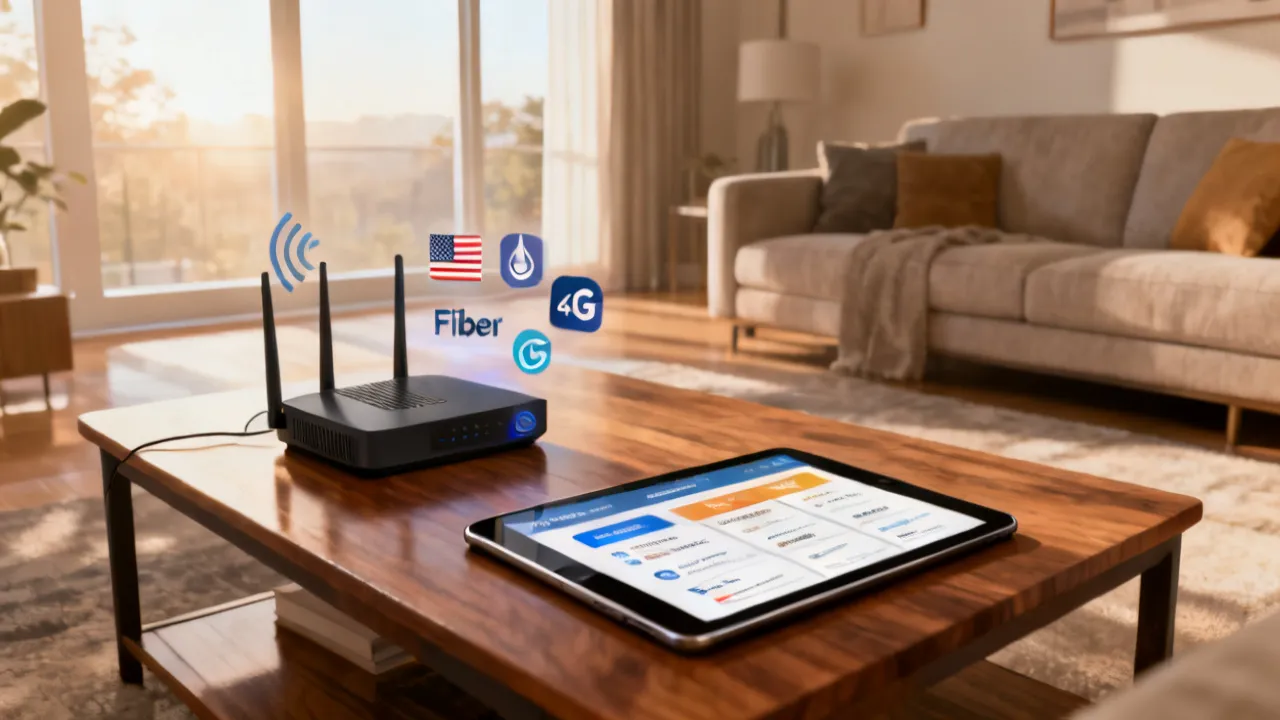
Choosing the right home Internet plan: speed, technology, and long-term cost
Selecting an Internet service provider is ultimately a decision about network technology (fiber, cable, or fixed wireless), service reliability, and total monthly cost after introductory offers and equipment fees. This article focuses on several widely available US options—Xfinity Internet, AT&T Fiber, Spectrum Internet, T-Mobile 5G Home Internet, Astound Broadband, and Verizon Fios—and shows how to compare them objectively.
From an industry perspective, the “best” plan is rarely the one with the highest headline Mbps. Instead, the best plan is the one that (1) sustains usable throughput during busy hours, (2) provides the upload performance your household needs (especially for video calls and cloud backups), and (3) fits your budget once the promotional period ends. In other words: “best” is a combination of technical fit and cost durability—not just marketing speed numbers.
Because the customer experience includes installation quality, router placement, local network congestion, and billing terms, two neighbors can choose the same provider and tier yet report very different speeds. Your goal is to reduce uncertainty before you sign—by reading the fine print, understanding how each network type behaves, and running a small number of targeted tests after installation.
Quick comparison: what each provider typically offers
Below is a high-level, package-oriented view of the providers referenced in this guide. Use it as a starting point, then confirm availability and any local conditions at the provider’s official site.
| Provider & technology | Illustrative plan tiers & starting prices (US) | Notable add-ons / conditions |
|---|---|---|
| Xfinity Internet (cable) | Connect: up to 50 Mbps ~ $19.99/mo (intro); Connect More: up to 100 Mbps ~ $39.99/mo | No contracts; includes access to Xfinity Wi‑Fi hotspots; some plans may include equipment rental around $14/mo |
| AT&T Fiber (fiber) | 300 Mbps ~ $55/mo; 500 Mbps ~ $65/mo; 1 Gig ~ $80/mo | Symmetrical upload/download; prices include ~$10/mo autopay discount; Wi‑Fi gateway included |
| Spectrum Internet (cable) | Up to 500 Mbps ~ $50/mo (intro); up to 1,000 Mbps ~ $70/mo | Unlimited data; no contracts; modem included; potential post-intro price changes; optional Wi‑Fi service around $5/mo |
| T-Mobile 5G Home Internet (fixed wireless 5G) | ~ $35–$70/mo with advertised speeds ~72–245 Mbps | Fixed wireless 5G; often suitable in areas where fiber/cable access is limited; discounted rates may apply for certain T‑Mobile customers |
| Astound Broadband (cable; regional) | Intro pricing starts ~ $20/mo for up to ~300 Mbps | Regional availability; low-cost cable internet; some plans include a multi-year price guarantee |
| Verizon Fios (fiber) | 300 Mbps ~ $49.99/mo with autopay; 1 Gigabit ~ $89.99/mo | Fiber connection; symmetrical speeds; Wi‑Fi router included at no extra cost (per plan terms) |
source: www.xfinity.com (information basis); www.att.com/internet/fiber; www.spectrum.com; www.t-mobile.com/isp; www.astound.com; www.verizon.com/home/fios.
Note: The table above summarizes the referenced package tiers and conditions; final pricing and availability vary by address and time.
How to think about Internet speed (beyond “Mbps”)—what matters day to day
When you compare plans, you’ll usually see downstream (download) Mbps first. But day-to-day performance depends on several related factors:
- Upload speed: how fast you send data (calls, uploads, backups).
- Latency: how quickly your request travels and returns (important for gaming, video calling, and interactive work).
- Jitter: variation in latency (can cause choppy video even if speeds are “high”).
- Packet loss: how often data fails to arrive (causes retransmissions and degraded quality).
- Consistency: how performance changes during peak evening hours.
In practical terms, a plan with lower headline speed but better latency and less congestion can feel “faster” than a higher-speed plan that slows dramatically at night. That’s especially relevant with cable networks (which share capacity across neighborhood segments) compared with many fiber deployments (which typically deliver more consistent performance).
Also, “speed tests” can be misleading if you test only once and only on Wi‑Fi. For example:
- If you test on a phone over Wi‑Fi far from the router, you might be measuring signal quality instead of Internet bandwidth.
- If you test right after installation, network congestion may be low and you might overestimate typical speeds.
- If you test using a single device, you may not capture how the network behaves when multiple devices stream concurrently.
So, the best approach is to think in terms of household needs (how many devices, what kinds of activity) plus technology characteristics (fiber/cable/fixed wireless). Then you validate once installed.
How to access the Internet at a low cost (practical, step-by-step)
Cost reduction usually comes from three levers: promotion timing, equipment strategy, and rate-structure awareness. Here is a detailed approach you can use regardless of whether you end up with cable (Xfinity/Spectrum/Astound) or fiber (AT&T/Verizon) or fixed wireless (T‑Mobile).
-
1) Benchmark your current usage
Before switching, estimate the real household load: HD/4K streaming, video calls, gaming, and cloud backups. This prevents overbuying Mbps that you won’t actually utilize. If you routinely work from home with frequent uploads (Zoom/Teams, screen sharing), symmetrical fiber plans can matter.To make this more concrete, think of typical “concurrent” usage patterns. For example:
- Light use: 2–3 devices streaming occasionally, one video call per day, minimal uploads.
- Average household: 3–6 devices streaming, 1–3 video calls, casual gaming, photos and documents syncing.
- Heavy use: multiple people on video calls simultaneously, large file transfers, frequent cloud backups, or working with big uploads/downloads (e.g., design files, media projects).
While exact Mbps requirements vary by service, the bigger point is that many households need not just download speed but also enough upload to keep interactions smooth. Upload is often where people experience “why is my call lagging?” even if streaming seems fine.
-
2) Compare “intro price” vs “renewal price”
Many cable promotions (including examples like Xfinity and Spectrum tiers) are time-limited. Ask for the renewal price or verify whether the advertised rate is a first-year offer. Build a 12–24 month cost expectation, not just the first bill.To do this accurately, look for:
- The start date of the promo (sometimes it aligns with installation).
- The end date and whether the price jumps automatically or after a billing cycle change.
- Whether additional conditions (like autopay, paperless billing, bundling) affect the promotional rate.
-
3) Evaluate whether autopay discounts apply to you
For fiber providers such as AT&T (example includes a $10/month autopay discount), the final price can depend on enrolling in specific payment methods. Confirm that autopay remains stable and that cancellation policies don’t create unexpected changes.Also consider an often-overlooked aspect: if your autopay discount depends on a mobile carrier plan, or if it requires enrollment in a specific account profile, then switching banks or changing account settings could accidentally remove the discount. A low-cost strategy is to keep autopay active and to set calendar reminders so you catch any changes before your renewal window ends.
-
4) Decide between provider rental and your own equipment
Some plans bundle a Wi‑Fi gateway/router or include a modem; others may offer equipment rental (for example, an equipment rental option around $14/month appears in the reference for some Xfinity plans). If the provider’s fee is high, compare the cost of owning compatible equipment—while ensuring it meets the provider’s technical requirements.Beyond the monthly rental cost, equipment strategy affects performance:
- Compatibility: cable providers often require specific modem models, firmware compatibility, and correct provisioning.
- Wi‑Fi coverage: the provider’s gateway may be adequate for a small apartment but insufficient for larger homes or multi-floor layouts.
- Features you may care about: modern Wi‑Fi standards (like Wi‑Fi 6/6E), beamforming, and the ability to run a mesh system.
In many cases, renting can be fine if (a) the gateway is powerful enough, and (b) you don’t plan to replace it soon. But if you already own a high-quality router, or you plan to build a mesh network, owning can reduce long-term costs and improve Wi‑Fi performance.
-
5) Keep contract terms in your comparison
Cable providers in the reference (for example, Xfinity and Spectrum) often highlight “no contracts.” Even so, read for termination fees, promotional eligibility, and any device return requirements where relevant.Even “no contract” can involve conditions. For example, equipment must sometimes be returned if it’s rented, and promotional eligibility might require keeping the service active for a minimum period. Those requirements can affect switching timing and early cancellation fees.
-
6) Consider alternative network types if coverage is limited
If fiber and cable are expensive or unavailable nearby, fixed wireless 5G (such as T‑Mobile 5G Home Internet) can be a practical option. However, performance can depend on location, signal conditions, and local network capacity—so check availability and expected speeds for your address.A practical strategy with fixed wireless is to confirm performance on-site (if possible) and to observe whether the provider offers a trial period. If not, consider using a short-term plan and plan your fallback if performance is inconsistent.
-
7) Watch for add-on costs: Wi‑Fi tiers and service fees
Some plans provide internet-only equipment and charge extra for additional Wi‑Fi services (Spectrum’s optional Wi‑Fi service, for example, appears around $5/month in the reference). Determine whether you need that add-on or whether a bundled gateway/router is sufficient.When comparing add-ons, ask yourself a simple question: “Do I already have Wi‑Fi equipment that performs well?” If you do, you might avoid paying for extra Wi‑Fi services. If you don’t, and the included gateway is underpowered, you might compare the cost of an upgraded router/mesh system against any monthly Wi‑Fi add-on.
-
8) Time your switch strategically
When possible, schedule switching so installation occurs close to the start of your billing cycle. This can reduce “overlap billing” if you keep your old account active until the new one is live.Also consider practical timing: if you need a technician visit and it’s scheduled for a mid-month slot, you may end up paying for two services briefly. If you can temporarily use mobile hotspot for the few days of cutover, you might reduce overlap. However, if your work depends on stable internet, prioritizing a smooth cutover can be worth the extra days.
-
9) Use coverage tools and confirm plan eligibility
Availability can change by address. Before you commit, verify that the targeted speed tier is offered for your exact location and that it matches the installation method (fiber vs cable vs wireless).A common mistake is to base the decision on a neighborhood-level assumption rather than your address-level plan eligibility. For example, cable nodes can be congested in some streets more than others, and fixed wireless performance varies by building material and proximity to the nearest tower.
-
10) Reassess annually
Internet pricing often changes with promotions and competition. If your plan remains competitive, great; otherwise, renegotiate or compare alternatives during your next annual review window.Many people think switching is too much hassle, but annual reassessment can be simple: pull up your latest bill, identify your current effective monthly cost (including rental and fees), and check whether a competitor offers a better deal for the same or similar speeds. Then contact your current provider first—sometimes you can negotiate a retention offer without moving.
Price ranges by country: what “normal” can look like
Pricing structure differs by market and regulation, but readers often benefit from a reality check on typical bands. The following ranges are approximate and are meant to help you plan comparisons rather than predict exact quotes for your address.
| Region | Approximate monthly price range | Typical speed/availability notes |
|---|---|---|
| United States | ~ $30–$100+ | Many areas have fiber and broadband options; speeds can range from ~100 Mbps up to 1 Gbps+, with higher-speed tiers often costing more. |
| United Kingdom | ~ £25–£60+ | Common choices include fiber or broadband; speeds often span ~30–100 Mbps in many locations. |
| Canada | ~ CAD 50–CAD 100+ | Options include fiber and cable/broadband; speeds may range ~25 Mbps to 1 Gbps. |
| New Zealand | ~ NZD 60–NZD 100+ | Users often choose fiber or VDSL; speeds can reach 100 Mbps or more depending on local networks. |
| Australia | ~ AUD 60–AUD 110+ | Fiber availability is expanding; common speeds are often ~50–100 Mbps. |
| Singapore | ~ SGD 30–SGD 60+ | High-speed fiber access is widely available; competition can help keep prices lower relative to high speeds. |
From a cost-management standpoint, the “right” tier is usually the one that aligns with your household demand while minimizing promotional traps (such as post-intro increases). If your main use is streaming and browsing, you may not need gigabit tiers; if you host, upload frequently, or rely on cloud tools, paying for better upload performance can be justified. In many real-world scenarios, the difference between “works most of the time” and “feels consistently smooth” is not always the maximum download speed—it’s consistent latency and enough upload to support interaction.
Deeper analysis: fiber vs cable vs fixed wireless (and why upload speed matters)
As an industry practice, comparing plans requires understanding what the networks actually deliver:
-
Fiber (AT&T Fiber, Verizon Fios)
Fiber deployments typically support symmetrical upload and download speeds. That can reduce bottlenecks for upstream-heavy tasks like video conferences, live streaming, and frequent cloud backups. Fiber is also generally well-regarded for consistent performance, though exact outcomes still depend on local infrastructure and provisioning. -
Cable (Xfinity Internet, Spectrum Internet, Astound Broadband)
Cable networks can be competitive in price and performance, particularly for download speed. However, shared network segments can affect throughput during peak periods in some neighborhoods. This is why two households at the same Mbps plan can experience different real-world speeds. -
Fixed wireless 5G (T-Mobile 5G Home Internet)
Fixed wireless can offer an attractive entry cost and faster time-to-service where fiber/cable infrastructure is limited. Yet it is sensitive to factors like signal strength, building materials, and local capacity. If you live in an area with strong 5G coverage, it can be a smart alternative; if coverage is marginal, the stable performance you expect from fiber may be harder to match.
Why upload matters more than many people realize: In a typical work-from-home scenario, upload traffic is often spiky rather than constant. When someone joins a video call, uploads audio/video streams to the internet in real time. If upload speed is too low, the call may degrade even if your browsing is fast. Similarly, cloud backups might work overnight but cause repeated pauses or “resync” events if upload is constrained.
In addition, modern Wi‑Fi networks and apps can introduce variability. A plan with sufficient bandwidth but high jitter can cause choppy voice audio or dropped frames. This is why you should not treat Mbps as the only metric—especially if your household relies on interactive traffic (video calls, telehealth, live classes, multiplayer gaming).
Peak-hour behavior: Cable networks share capacity at some level. That means that the same tier can produce excellent speeds on a weekend morning and slower speeds during weekday evenings. Fiber often has better consistency because it does not always rely on the same shared bottleneck architecture. Fixed wireless can also be shared depending on tower capacity and local backhaul conditions, leading to variability that’s sometimes less predictable.
Plan-by-plan insights for the listed providers
Xfinity Internet (cable): balancing introductory pricing and equipment considerations
In the reference, Xfinity Internet offers tiers such as Connect at up to 50 Mbps for around $19.99/month (introductory pricing), and Connect More at up to 100 Mbps for around $39.99/month. Xfinity highlights no contracts and provides access to Xfinity Wi‑Fi hotspots, which can be useful for customers who travel or work remotely near supported hotspots.
Two cost points to validate: (1) whether the promotional rate changes after the introductory period, and (2) whether you will pay equipment rental. Some Xfinity plans can include an equipment rental option around $14/month. If you already own compatible equipment or if your usage requires strong in-home Wi‑Fi coverage, verify the gateway/router situation before signing.
To make the “true monthly cost” clearer with Xfinity, treat your final price as:
- Base plan price (intro + expected renewal price)
- Minus discounts (if any—such as autopay or bundled offers)
- Plus equipment rental (if required/opted)
- Plus optional Wi‑Fi services (if any)
- Plus any activation or installation fees (some may be waived, others not)
Because cable plans can be strong values, the key question is whether the tier you pick is enough for your household concurrency. If you typically stream and browse with few simultaneous users, 50–100 Mbps may be enough—especially if Wi‑Fi coverage and device performance are good. But if you have multiple video calls or frequent uploads, you may want to step up a tier or consider fiber if available.
Finally, consider the practical aspect of cable networking: your real speed depends heavily on how your modem is provisioned, whether you’re using the provider gateway, and how clean your signal is. If possible, test over Ethernet right after installation to confirm that the Internet link is provisioned correctly—then evaluate Wi‑Fi separately.
AT&T Fiber: symmetrical performance and autopay-based value
AT&T Fiber in the reference spans Fiber Internet 300 (~$55/month for 300 Mbps), Fiber Internet 500 (~$65/month for 500 Mbps), and Fiber 1 Gig (~$80/month for 1,000 Mbps). A standout attribute here is the emphasis on symmetrical upload and download speeds. For households that upload often—remote work, frequent conference calls, and high-volume backups—symmetry can improve responsiveness and reduce upstream contention.
AT&T’s reference also includes that pricing reflects a $10/month autopay discount and that a Wi‑Fi gateway is included. In practice, readers should confirm autopay eligibility and understand whether disabling autopay changes the effective monthly cost.
When comparing fiber tiers, remember that a 300 Mbps download / 300 Mbps upload plan might already be enough for many households. The question isn’t just “how fast is it?” but “does it remain stable during busy hours?” Fiber typically performs well, but your in-home Wi‑Fi still matters. If you use Wi‑Fi and you have a large home, you might need mesh nodes regardless of how fast the fiber link is.
Another subtle benefit of symmetrical performance is that it can make home networks feel “snappier” when multiple devices are active. Even if you’re not uploading huge files, interactive traffic like video calls is sensitive to upstream conditions. Fiber’s upstream capacity reduces the risk of “call lag” during concurrent downloads.
If you’re debating between fiber and cable, one strong decision rule is:
- If your household frequently uploads (calls, live streams, large cloud syncs), fiber’s symmetrical performance often gives a more uniformly good experience.
- If your household is mostly streaming and browsing and your local cable network is not congested, cable may be fine.
Of course, you still need to confirm installation availability and the actual plan options at your address.
Spectrum Internet (cable): unlimited data with a watch on post-intro pricing
Spectrum Internet offers a cable-based set of options in the reference: approximately $50/month for up to 500 Mbps (introductory pricing), and approximately $70/month for up to 1,000 Mbps. Spectrum highlights unlimited data and no contracts, and the reference indicates a free modem included. Some markets may also require the customer to use their own router or to add optional Wi‑Fi service.
From a decision standpoint, pay attention to what happens after the introductory period. The reference notes that the price may increase after the first year. If you’re comparing Spectrum against fiber, also consider how upload speed requirements map to your household’s use—fiber’s symmetry can be a meaningful advantage for some users even if a cable plan looks cheaper on the initial quote.
Unlimited data is a comfort factor. While modern plans generally make data caps rare for home internet, some providers still have them in certain markets or through certain offers. Spectrum’s unlimited framing reduces the risk of usage-based slowdowns or overage fees. If you stream a lot, download large game updates, or have children uploading and downloading media, unlimited can keep your monthly cost predictable.
However, unlimited data doesn’t automatically mean unlimited performance. On cable networks, speed still depends on congestion and local network quality. So the best way to evaluate Spectrum is to check:
- What upload speeds you can expect on the plan (even if not shown prominently).
- Whether the advertised speeds are “up to” and how the network behaves during peak hours.
- Whether your home router can sustain stable Wi‑Fi (especially if you’re using multiple devices at once).
Because Spectrum includes a free modem in the reference, your setup might be simpler than some cable providers. Still, if you care about whole-home Wi‑Fi coverage, you may need to assess router placement and whether a mesh system is worthwhile.
T-Mobile 5G Home Internet (fixed wireless 5G): viable where wired alternatives are limited
The reference lists T-Mobile 5G Home Internet at approximately $35–$70/month, with speeds advertised in a range around 72–245 Mbps. The key differentiator is that this is fixed wireless, not a traditional wired last mile (like fiber or cable). Fixed wireless can be especially relevant for “coverage gap” situations—areas where installation of cable or fiber is not available on a workable timeline or where wired pricing is less attractive.
The reference also indicates discounted rates for customers on T‑Mobile’s Magenta MAX plan. If you already subscribe to that plan, check whether the discount truly applies to your home internet account and whether any conditions (such as eligibility periods) affect the offer.
When assessing fixed wireless, it helps to know what typically drives performance:
- Signal quality at your location: line-of-sight and distance from the tower can matter.
- Indoor vs outdoor placement: a gateway placed near a window might perform better than one hidden in a closet.
- Building materials: metal, dense concrete, and certain insulation types can reduce signal quality.
- Network capacity: how busy the local 5G sector is during peak hours.
Fixed wireless can be a “good enough” choice for streaming and everyday web use, especially if your household does not require constant high upload rates. But if you rely heavily on live interactive video calls all day, consider testing thoroughly or comparing against fiber where available.
Also remember that fixed wireless doesn’t just depend on your gateway. If you use Wi‑Fi inside the home, Wi‑Fi interference and coverage still affect your experience. In some setups, using an Ethernet-connected router (if supported) or adding mesh nodes can improve stability.
Astound Broadband (regional cable): low-cost entry with potential price guarantees
Astound Broadband appears in the reference as regionally available cable internet starting at around $20/month for up to 300 Mbps (introductory pricing). If Astound services your address, this “low-cost entry” framing can be compelling for budget-focused households, especially students or light-to-moderate users who prioritize predictable monthly payments over maximum speed.
The reference notes that some plans include a two-year price guarantee. Price guarantees can reduce the risk of post-promotion shock. Still, confirm the guarantee terms precisely: what is guaranteed, for how long, and what services or fees are covered.
Price guarantees are valuable, but they can be conditional. When evaluating them, look for wording such as:
- Whether the guarantee covers only the base plan rate or also includes equipment fees.
- Whether taxes, franchise fees, or regulatory charges can increase during the guarantee period (often they can).
- Whether you must remain on the service without changes (like downgrading or moving).
From a consumer strategy perspective, a guaranteed-rate cable plan can beat a competitor’s lower intro price if your main goal is long-term stability. If you plan to stay in the home for multiple years, “guarantee vs intro” can be a deciding factor.
Because Astound is regional, it’s also worth checking whether support experience in your area tends to be strong. Coverage and customer service vary by region even when the underlying technology is similar.
Verizon Fios (fiber): symmetrical performance with bundled Wi‑Fi hardware
Verizon Fios in the reference includes a plan of around 300 Mbps for $49.99/month with autopay and a 1 Gigabit tier at around $89.99/month. Similar to AT&T, Verizon emphasizes a fiber connection and symmetrical speeds. Additionally, the reference indicates that a Wi‑Fi router is included at no extra cost.
When comparing fiber providers, your best approach is to verify: (1) the actual install availability at your address, (2) whether equipment is included and sufficient for your home size, and (3) whether the stated price includes any ongoing discounts tied to account settings (like autopay).
For many consumers, the bundled router is a convenience win. However, “included” doesn’t always mean “best.” If you have multiple floors, thick walls, or long distances between devices and the gateway, you might still need mesh Wi‑Fi or a better placement strategy.
In fiber-to-the-home setups, the Internet link can be excellent, but Wi‑Fi performance can become the limiting factor. If you rely on Wi‑Fi (and most people do), consider these practical steps:
- Place the gateway centrally in your home, not at the far end or in a cabinet.
- Avoid placing it near microwaves, thick metal surfaces, or areas with many obstructions.
- Use a wired connection for your main streaming device or work PC if you can (to avoid Wi‑Fi variability).
- If needed, expand with a mesh system to ensure consistent coverage.
Because Fios often delivers symmetrical bandwidth, it’s a strong choice for households where multiple people are on video calls or uploading large files regularly.
What to check before you sign: an expert’s checklist
Even when two plans list “similar speeds,” performance and value can diverge. Consider the following:
-
Speed tier realism: Confirm whether the plan is marketed as “up to” and understand how that might vary during peak usage.
-
Upload requirements: If you regularly upload large files or run video calls, symmetrical speeds (common in fiber tiers) can be a meaningful quality-of-service factor.
-
Equipment and Wi‑Fi coverage: Router placement, home size, wall materials, and interference can limit real Wi‑Fi performance even when the Internet link is fast. Plans that include a gateway/router may reduce setup friction, but you may still need mesh Wi‑Fi depending on your home layout.
-
Billing structure: Identify equipment rental fees, Wi‑Fi add-ons, autopay discounts, and how rates change after promotional periods.
-
Installation constraints: Fiber often requires an appropriate last-mile buildout; fixed wireless depends on signal and device compatibility.
-
Customer support and network policies: In practice, faster resolution can be as important as theoretical speed—especially if you work during business hours and can’t tolerate long outages.
Here are additional checks that are often overlooked but can prevent frustration later.
-
Power and backup: If your household depends on internet for work, consider a small UPS (uninterruptible power supply) for your gateway/router. Outages can otherwise disrupt calls and remote work.
-
Service outage history: If your area has recurring outages, price should not be the only criterion. Consider whether the provider is responsive during outages.
-
Router features: Features like automatic firmware updates, guest networks, and the ability to handle multiple devices with stable performance can improve day-to-day reliability.
-
Network management: Some providers have policies about modem/router behavior, advanced routing features, or device compatibility. If you plan to run servers, advanced VPNs, or custom routing, verify compatibility beforehand.
-
Moving plans: If you might relocate, check whether equipment and service move seamlessly. Fiber providers may have excellent service where available, but your next address might not support the same technology.
How to estimate your Mbps needs (with realistic household scenarios)
Consumers often select a speed tier by guessing what they need. You can do better with a few “household scenarios.” While there’s no universal mapping from devices to Mbps, you can narrow choices quickly.
Streaming-heavy, low-upload households: If you mostly stream (HD or 4K) and browse, you can often get a comfortable experience at mid-tier speeds—especially if your Wi‑Fi covers the home well and you don’t have many simultaneous video streams.
Work-from-home with video calls: If multiple people video call or hold meetings throughout the day, you should prioritize upload speed and consistency. Fiber’s symmetrical performance (AT&T Fiber, Verizon Fios) often gives the best margin for error, while cable plans can be strong but may vary based on local congestion.
Gaming and low-latency tasks: Gaming experience depends heavily on latency. Higher download speed alone won’t fix latency issues. Still, high-capacity networks can reduce the impact of congestion. Testing at peak hours helps you understand real latency and jitter behavior.
Cloud backup and large file transfers: Upload matters. Backups, photo sync, and transferring large documents often happen periodically and can be time-consuming if upload is constrained. If you do this regularly, symmetrical fiber can be worth paying extra for.
Multi-device homes: If you have many smart devices, tablets, game consoles, TVs, and mobile devices, your experience can degrade when Wi‑Fi or network management struggles. Even with an excellent Internet link, a crowded Wi‑Fi environment can bottleneck. In those cases, you might need a mesh Wi‑Fi system or wired connections for the most important devices.
FAQ: Internet providers, pricing, and switching decisions
1) Which is usually better for remote work: fiber or cable?
For many households, fiber is advantageous because it commonly offers symmetrical upload/download speeds. Cable can still work well for remote work, but upload performance may be more variable depending on network conditions. Your best choice depends on how much you upload and how often.
Additionally, remote work quality is more than bandwidth. If you frequently present your screen, participate in calls with screen share, or use interactive collaboration tools, stable upstream conditions reduce glitches and packet retransmissions. Fiber often provides a larger “buffer” that prevents those quality dips from becoming noticeable.
2) Do “up to” speeds mean my connection won’t be that fast?
“Up to” generally means the provider’s maximum attainable rate under ideal conditions. Real throughput can vary by distance from equipment, Wi‑Fi interference, device capabilities, and network utilization. Use speed tests at different times of day to evaluate consistency.
To interpret “up to” speeds correctly, try testing at:
- Off-peak (e.g., midday)
- Peak (e.g., evenings)
- Wi‑Fi vs Ethernet to separate link speed from Wi‑Fi performance
3) Are equipment rental charges worth avoiding?
If the plan includes a gateway/router at no extra cost (as referenced for some fiber offerings), that can simplify setup. If equipment rental is charged (such as some Xfinity scenarios), you should compare the rental cost against owning compatible equipment. Just ensure device compatibility with the provider’s requirements.
A cost comparison can be straightforward:
- Rental cost per month × number of months you expect to stay = rental total
- Own equipment purchase price (plus any mesh nodes) = ownership total
Even if ownership costs more upfront, it can win financially over a 24–36 month period. But if you don’t plan to stay long, rental may be simpler and more predictable.
4) Is fixed wireless 5G (like T-Mobile 5G Home Internet) reliable?
Reliability can be good where 5G coverage and capacity are strong. However, fixed wireless performance can depend on signal strength at your location and local demand. If you’re considering it, review advertised speeds for your address and consider whether you need stable throughput for work-critical tasks.
Also, fixed wireless can behave differently across seasons. If local weather affects signal propagation or if people change usage patterns, your performance might vary. The most reliable way to confirm is to test shortly after installation and during typical peak hours.
5) How can I prevent my bill from rising after a promotional period?
Ask what the rate becomes after the introductory window and whether any discounts (autopay or customer-plan eligibility) will continue. Then estimate your expected 12–24 month cost rather than focusing only on the first bill.
A practical tactic: set a reminder to review your bill after the promo ends. Many unexpected increases happen automatically, and catching them early can give you time to negotiate a retention offer.
6) What’s the most cost-effective speed tier for streaming and browsing?
Many households can stream comfortably at moderate tiers, but the ideal Mbps depends on the number of concurrent users and the video quality (HD vs 4K). If you share your connection among multiple devices, you may benefit from higher tiers to reduce buffering and latency under peak usage.
Cost-effective doesn’t always mean “lowest.” If you pick too low a tier, buffering and rebuffering can increase frustration and reduce perceived value. Consider whether paying a small amount more yields a noticeable reduction in stress—especially during peak family hours.
7) Can I switch providers immediately after canceling?
Switch timing depends on installation schedules and account activation dates. Overlap can create extra billing if you keep both accounts active briefly. Plan installation dates carefully and verify cutover instructions from the providers.
If your work depends on internet, avoid scheduling cutover during a time when the install could slip. A smooth handoff often matters more than saving a few dollars on overlap.
Conclusion: match the network type to your household’s priorities
A smart choice among Xfinity Internet, AT&T Fiber, Spectrum Internet, T-Mobile 5G Home Internet, Astound Broadband, and Verizon Fios starts with network type and ends with total monthly cost. Fiber often stands out for symmetrical performance; cable can be a strong value with predictable tiers but may vary with local network conditions; fixed wireless can be a practical option where wired infrastructure is limited. Whichever provider you prefer, evaluate the full bill picture—intro rates, equipment terms, autopay conditions, and post-promotion changes—so your plan remains a good fit well beyond the first month.
Disclaimer
1) The above information comes from online resources, and the data is as of October 2023.
2) The specific access requirements and methods are subject to the official requirements of the Internet service provider. This website will not be updated in real time.
Reference links
https://www.xfinity.com/
https://www.att.com/internet/fiber/
https://www.spectrum.com/
https://www.t-mobile.com/isp
https://www.astound.com/
https://www.verizon.com/home/fios
-
1

A Guide to Cost-Efficient Small Electric Cars for Seniors
-
2
Mastering Debt Consolidation: Boost Your Credit Score and Manage Interest Rates
-
3
Your Guide to Loans, Credit Checks, and Interest Rates
-
4
Affordable Independent Living: Finding the Right Senior Housing
-
5
Guide to Senior Living Apartments: Affordable and Comfortable Environments